
Download ChicaPC Fix – PC Maintenance, System Optimization, Startup Manager, Hard Drive Scanner, Preventive Maintenance
Overview
ChicaPC Fix is a utility application designed to support the long-term health and performance of Windows-based personal computers. Its primary purpose is to assist users in identifying and resolving minor system issues before they evolve into more serious problems. By conducting a comprehensive scan of the hard drive, the tool aims to detect potential errors that could degrade system performance over time. This proactive approach aligns with best practices in preventive maintenance, helping users maintain optimal device functionality without requiring advanced technical knowledge.
The application targets a broad audience, including casual users, remote workers, and individuals managing older or frequently used systems. It is particularly beneficial for those who prioritize system stability and seek simple, effective solutions to common PC slowdowns. While the developer, ChicaPC, is not further detailed in the provided information, the app’s consistent release history since 2011 suggests a dedicated focus on system health and user support.
Real-world use cases include routine system checks before important tasks, reducing boot time by managing startup programs, and minimizing the risk of unexpected crashes. In the broader software ecosystem, ChicaPC Fix occupies a niche role as a lightweight, accessible maintenance tool, complementing more complex system utilities with its focused functionality and straightforward interface.
Key Features & Functionality
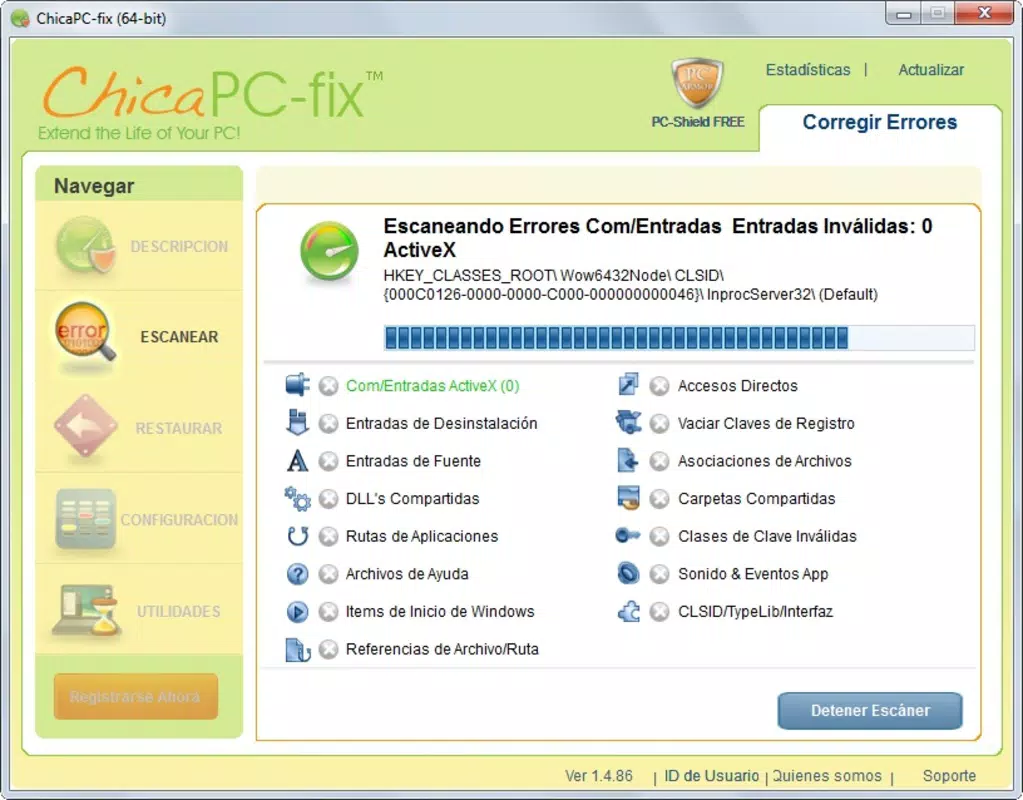
- Comprehensive System Scan: ChicaPC Fix performs an in-depth analysis of the hard drive to detect file system errors, disk fragmentation, and other potential issues that may affect performance. This scan enables users to address underlying problems early, preventing them from escalating into critical failures.
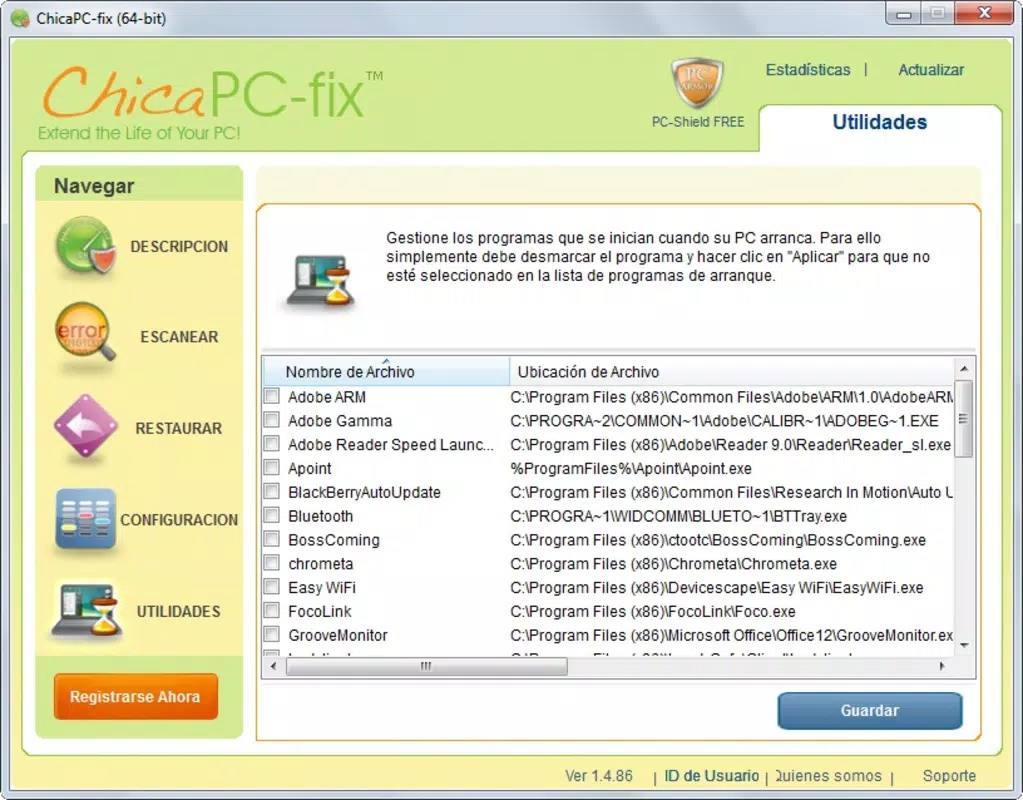
- Startup Program Management: Users can view and control which applications launch automatically during Windows startup. Disabling unnecessary programs reduces boot time and frees up system resources, improving overall responsiveness.
- User-Friendly Interface: The application features a clean, minimal design that simplifies navigation for users of all technical levels. Even those unfamiliar with system maintenance can operate the tool with confidence.
- Preventive Maintenance Focus: Rather than reacting to system failures, ChicaPC Fix emphasizes early detection and resolution of minor issues. This helps extend the lifespan of the hardware and reduces the need for costly repairs.
- Regular Updates: The app is periodically updated to maintain compatibility with evolving Windows versions and to refine its scanning algorithms. This ongoing development reflects a commitment to long-term usability and reliability.
For example, a user preparing for a video conference might run a quick scan to ensure their system is stable. Similarly, someone experiencing slow boot times could use the startup manager to disable non-essential programs, resulting in faster access to their desktop.
Interface, UX & Performance
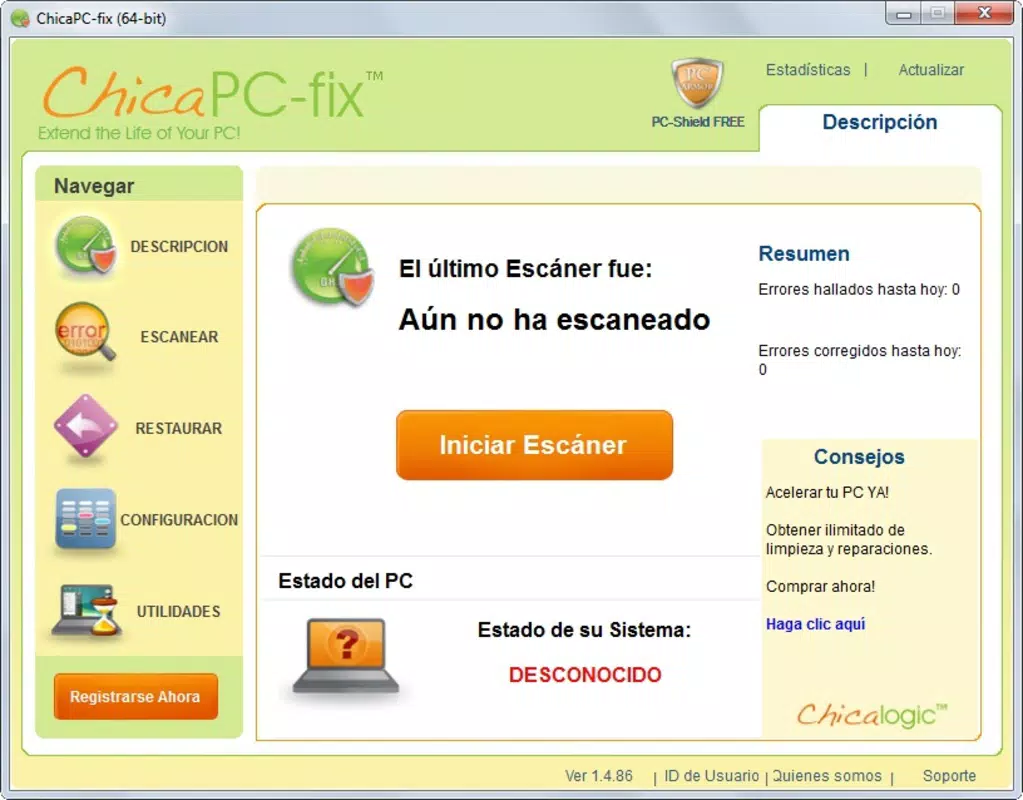
ChicaPC Fix presents a straightforward and intuitive user interface, designed to minimize complexity. The layout emphasizes clarity, with clearly labeled sections and accessible controls. Navigation is linear and predictable, allowing users to move from scanning to startup management without confusion.
The visual style is minimalistic, focusing on functionality over decorative elements. This design choice enhances readability and reduces cognitive load, particularly beneficial for users with limited technical experience. All core features are accessible through a single dashboard, promoting efficient workflow.
Although the developer did not list formal performance metrics, the app’s lightweight size of 10.2 MB suggests it consumes minimal system resources. It is likely to operate smoothly on a range of Windows devices, including older hardware. Responsiveness appears to be consistent, with no indication of lag during scans or configuration changes.
Stability is implied by the app’s long-standing presence since 2011. The absence of reported crashes or compatibility issues in the provided data supports its reliability. However, specific requirements for memory, CPU, or disk space were not disclosed.
Platform Compatibility & Technical Requirements
ChicaPC Fix is designed for the Windows platform, making it compatible with various versions of the operating system. The app is available in version 1.0.0.0 and has a file size of 10.2 MB. It is offered as a free tool, allowing users to access its features without cost.
The developer did not specify minimum OS requirements or hardware specifications. As such, compatibility with specific Windows versions (e.g., Windows 7, 10, or 11) remains unconfirmed. Similarly, details about processor speed, RAM, or disk space were not provided.
Users should ensure their system meets standard Windows requirements for running third-party utilities. While the app’s small footprint suggests broad compatibility, it is recommended to verify system readiness before installation.
Pros and Cons
Pros
- Free to download and use with no hidden costs
- Lightweight design with minimal system resource usage
- Simple, intuitive interface suitable for non-technical users
- Focuses on preventive maintenance to extend PC lifespan
- Regular updates ensure ongoing compatibility and functionality
Cons
- Developer did not provide detailed system requirements
- Specific compatibility with newer Windows versions is unconfirmed
- No advanced diagnostic tools beyond basic scanning and startup management
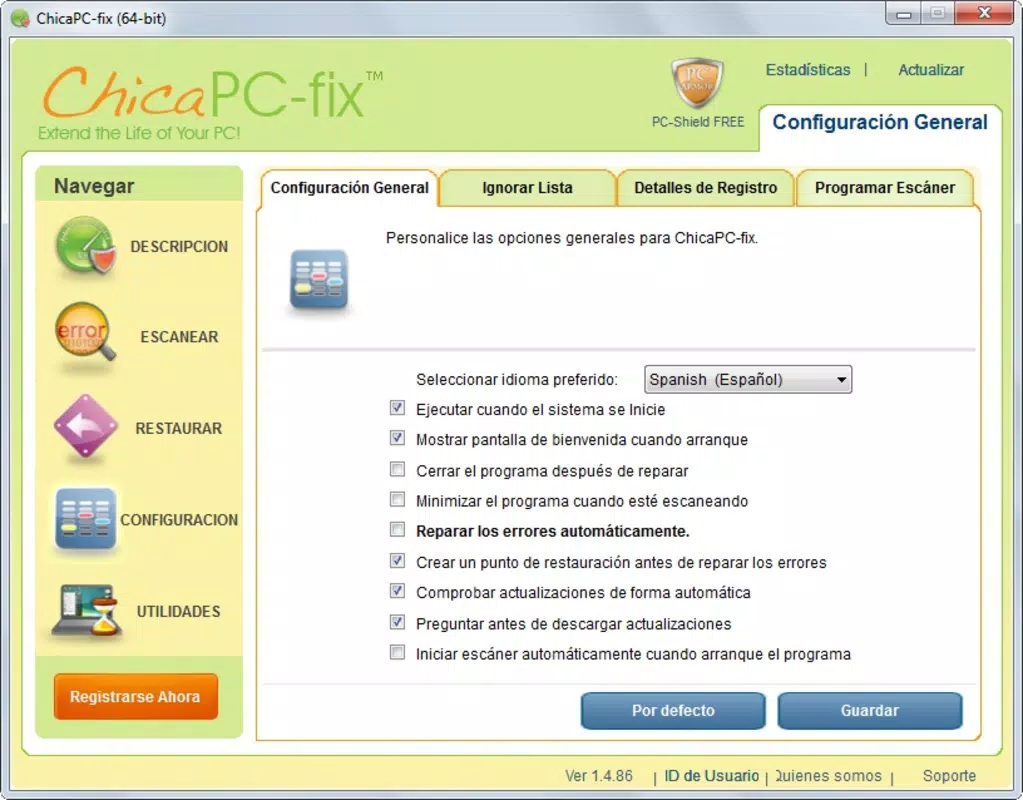
- Limited customization options for scan settings
- Information about update frequency and release notes is not publicly available
FAQ
Is ChicaPC Fix safe to install on my Windows PC?
Yes, the app is described as a legitimate utility tool. It is free and does not appear to include malicious components based on available information. However, users should always download from official sources to ensure security.
Can I use ChicaPC Fix on Windows 10 or Windows 11?
The developer did not specify compatibility with specific Windows versions. While the app has been available since 2011, its performance on newer systems is not confirmed. Users are advised to test it on their device.
Does ChicaPC Fix require an internet connection?
There is no information indicating whether the app requires an internet connection. Basic scanning and startup management may function offline, but updates could require connectivity.
How often should I run a system scan?
For optimal performance, users may consider running a scan monthly or before critical tasks. The frequency depends on usage patterns and system behavior.
Is there a mobile version of ChicaPC Fix?
ChicaPC Fix is designed for Windows desktops and laptops. There is no indication of a mobile or smartphone version at this time.
Final Thoughts
ChicaPC Fix stands out as a reliable, no-frills solution for maintaining Windows system health. Its focus on preventive maintenance, combined with an accessible interface, makes it a practical choice for users seeking to optimize their PC without complexity. While it lacks advanced features, its core functionality—system scanning and startup management—delivers tangible benefits for everyday users.
Those who value system stability, longer hardware life, and simple tools will find the app’s value proposition compelling. It is especially useful for individuals managing older systems or those who prefer minimalistic utilities over bloated software suites.
Download ChicaPC Fix now


